
 WordPress plugin · Free + Pro
SmartVPVideoPlayer
One responsive player for self-hosted MP4, YouTube and Vimeo — and, with Pro, HLS, DASH, private Amazon S3, Wistia and Streamable. It sizes itself to the video, plays when it scrolls into view, and shows you the result while you edit.
- Free version on WordPress.org
- 14-day money-back guarantee
- No CDN calls · GPL licensed
VideoonWordPressneededabetterplayer
Most sites mix YouTube embeds, Vimeo embeds and their own files. Each looks different, loads differently and fits the page differently. SmartVP puts them all in one player you control.
The usual way
- YouTube, Vimeo and your own MP4s each bring different controls and branding.
- Embeds are boxed into 16:9, so vertical and square videos get black bars.
- You save, open the page, check, go back and tweak — again and again.
- Heavy embeds load before anyone presses play and slow the page down.
- Streaming, private files and gated videos each need another plugin.
The SmartVP way
- One clean player for every source, with the controls you choose.
- Original size fits the player to the video — no bars, any ratio.
- A live preview in the editor updates as you change settings.
- YouTube loads only when the visitor presses play. Nothing comes from a CDN.
- Pro adds HLS and DASH, private S3, passwords, ads, playlists and analytics.
Builtforhowpeopleactuallywatch
One player for every source
Paste a link or pick a file. The same player, the same controls and the same look, wherever the video lives.
- Free: self-hosted MP4, YouTube and Vimeo
- Lite: Wistia and Streamable in your own player
- Pro: HLS (.m3u8) and DASH (.mpd) adaptive streams
- Pro: private Amazon S3 files through expiring links
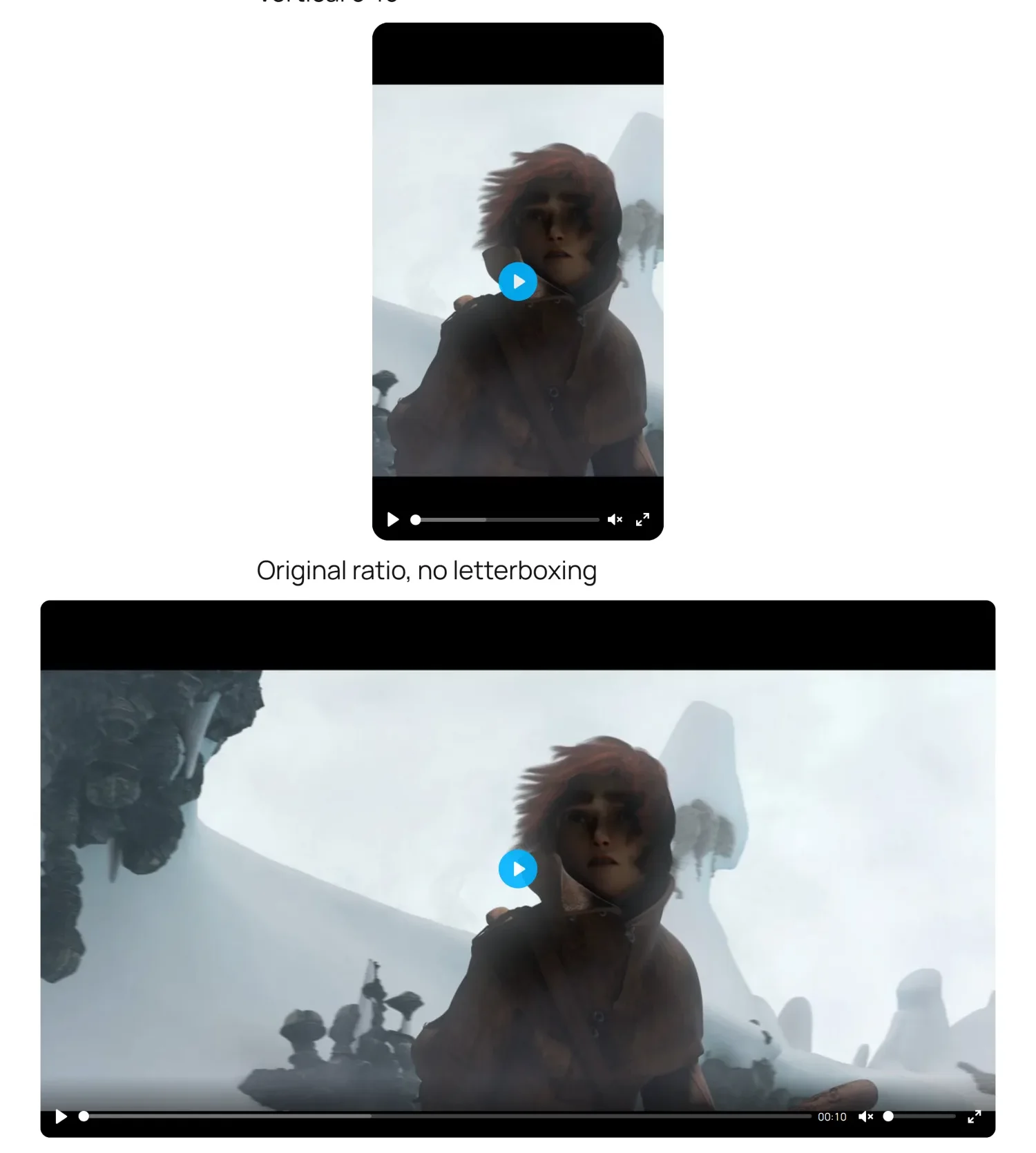
Sized to the video, played on scroll
The player takes each video's own shape, so vertical, square and cinema clips fill the frame. Turn on play on scroll and it starts muted when it comes into view and pauses when it leaves.
- Original size, or 16:9, 4:3, 21:9, 1:1, 9:16 and custom
- Max width, max height and rounded corners per player
- Autoplay, loop, start time, preload and disable pause
- Only one video plays at a time on a page
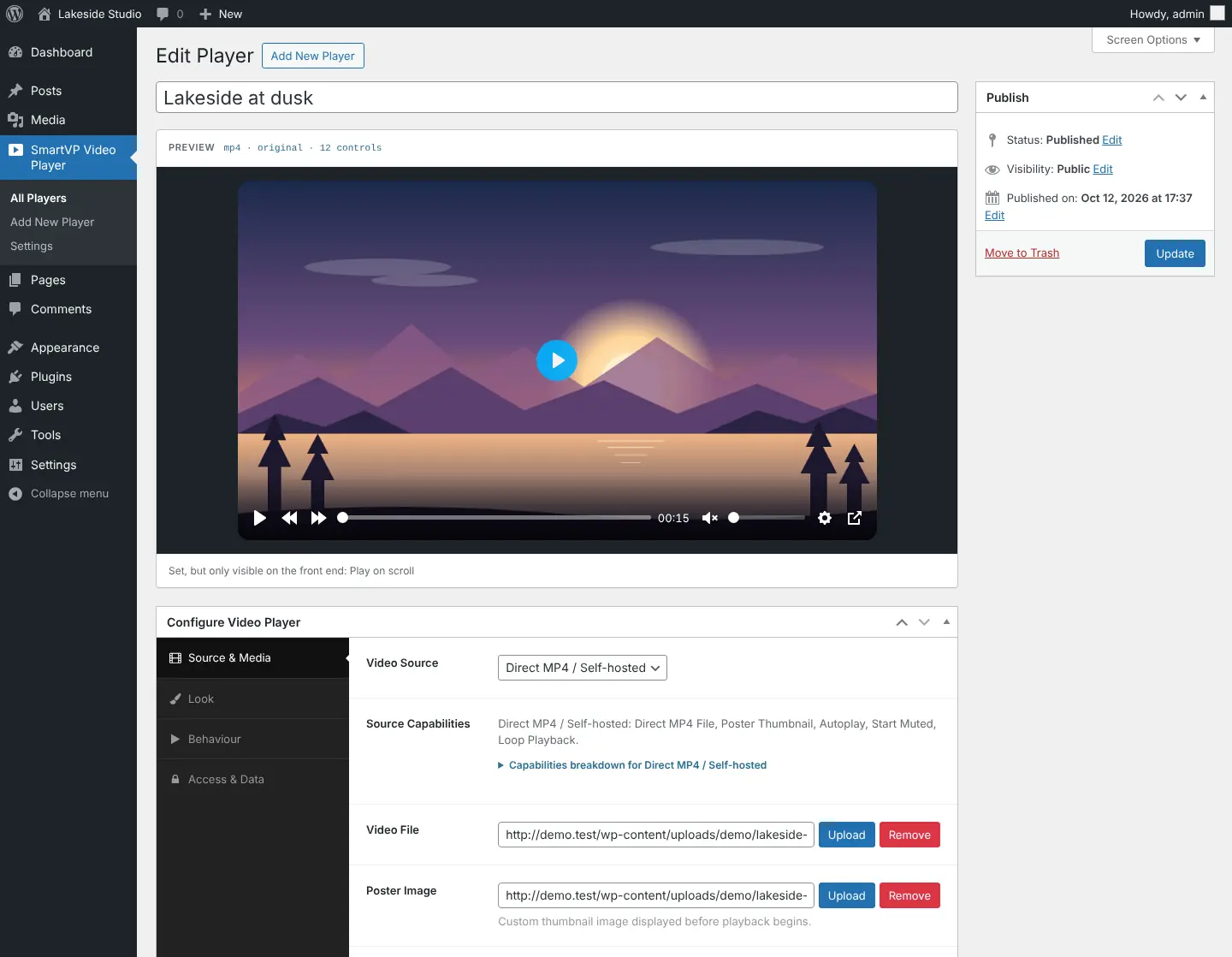
Edit with a live preview
Every change shows in the preview above the settings — ratio, width, corners and the control bar — without saving or opening the page.
- Drag-and-drop control bar, with keyboard support
- Warns about broken links, the wrong source and a start time past the end
- A copy-ready shortcode for every player
- Duplicate a player in one click
Hero banners, popups and sticky players
Turn a video into a full-width hero with a heading and a button, a poster that opens a popup player, or a mini player that docks to the corner while visitors read on.
- Hero background video with overlay, text and call to action
- Popup player that closes on Escape
- Sticky corner player with a close button
- Playlists with thumbnails, auto-advance, loop and shuffle
Everyfeature,andtheplanitisin
12 features are free forever. Pick a plan to see what it adds.
Fully responsive
FreeLooks right on phones, tablets and wide screens.
Play on scroll
FreeStarts when visible, pauses when scrolled away, with an adjustable threshold.
Original size
FreeThe player matches the video's shape — no black bars.
Choose your controls
FreePick and order any of 15 player controls.
Subtitles
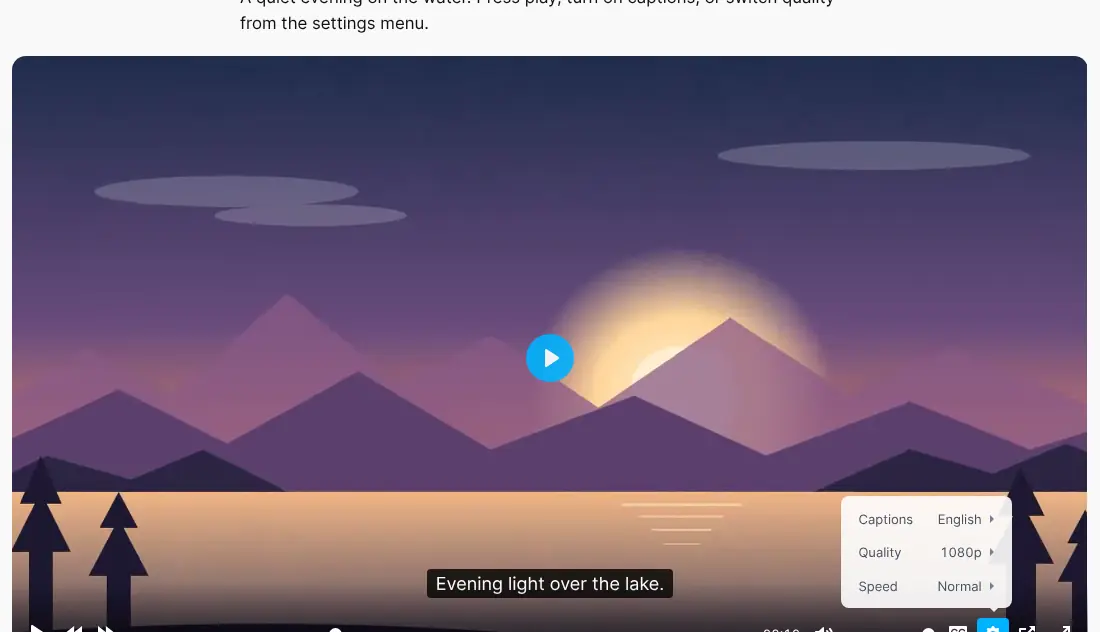
FreeWebVTT tracks with labels, languages and a default track.
Quality switcher
FreeOffer 1080p, 720p and 480p files and let viewers switch.
Speed control
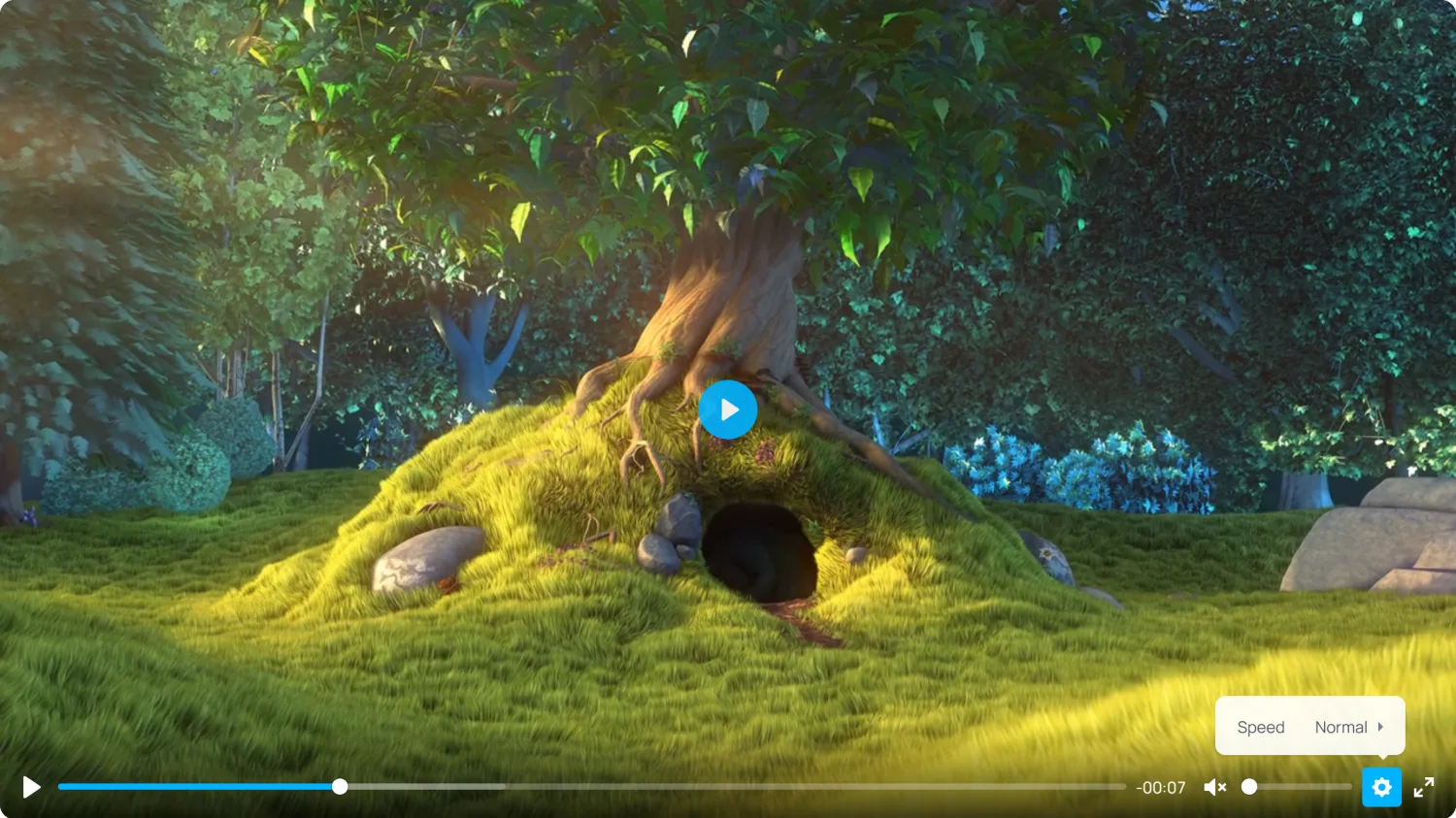
FreeChoose which playback speeds viewers can pick.
Download button
FreeOptional, with a custom download link.
Lightweight YouTube
FreeLoads YouTube only when the visitor presses play.
Video SEO
FreeVideoObject structured data for search results.
Live editor preview
FreeSee every change before you save.
No CDN calls
FreeEvery script and icon ships with the plugin.
Wistia and Streamable
LitePlay them through your own player, not theirs.
HLS and DASH streaming
ProAdaptive .m3u8 and .mpd streams with quality switching.
Private Amazon S3
ProServe files from private buckets through expiring links.
Password protection
ProThe video URL is not in the page until the password is accepted.
VAST / VPAID ads
ProPre-, mid- and post-roll ads through Google IMA.
Playlists
ProThumbnail lists in three layouts, with auto-advance and shuffle.
Chapter markers
ProLabelled markers on the progress bar.
Cookieless analytics
ProPlays and 25/50/75/100% completion. No IP addresses, Do-Not-Track aware.
Hero background video
ProFull-width banner with overlay, heading and button.
Popup player
ProA poster that opens the video in a lightbox.
Sticky player
ProDocks to the corner while visitors scroll.
Brand colour
ProMatch the player's accent colour to your brand.
Realscreenshots,notmockups
Every image below was captured from the plugin running on a WordPress install.
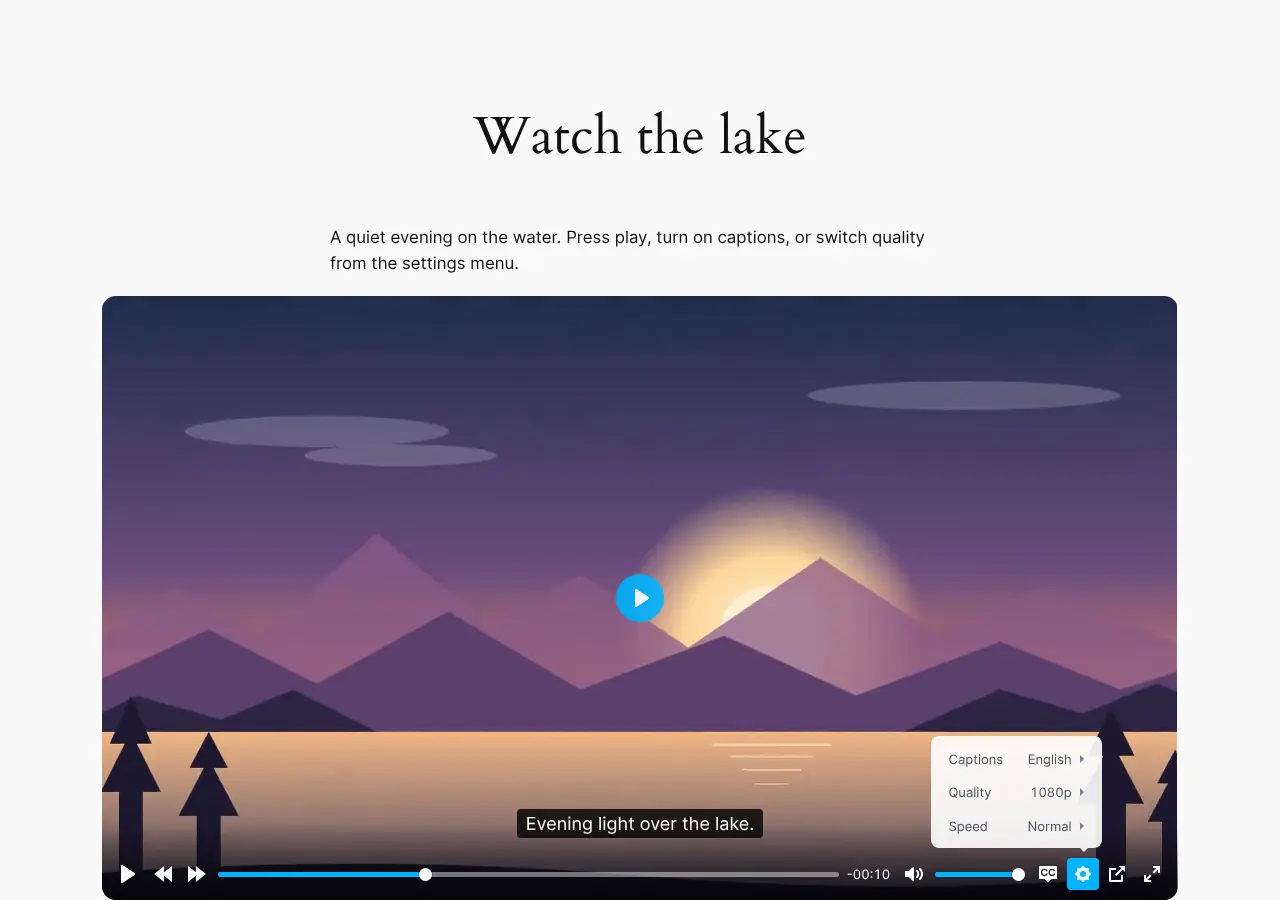
Captions, quality and speed in one settings menu.
Demo footage in some screenshots: Big Buck Bunny and Sintel © Blender Foundation, CC BY 3.0.
Fromuploadtopublishedinthreesteps
Create a player
Go to SmartVP Video Player → Add New Player and pick a source. Upload a file or paste a YouTube or Vimeo link.
Shape it in the preview
Choose the size, corners, controls and behaviour, and watch the preview update as you go.
Paste the shortcode
Copy the shortcode from the players list and paste it into any post, page, widget or page builder.
[smart_video id="123"]Works in the block editor's Shortcode block, the classic editor, widgets, Elementor's Shortcode widget and theme templates through do_shortcode().
Simplepricing,nosurprises
Start with the free plugin. Add Lite or Pro when you need more — pay yearly, or once for lifetime updates.
Free
The full player for MP4, YouTube and Vimeo.
- MP4, YouTube and Vimeo
- Play on scroll and original size
- Custom control bar
- Subtitles, quality and speed menus
- Live editor preview
- Community support
Lite
Adds Wistia and Streamable to the free player.
- Everything in Free
- Wistia and Streamable sources
- Native playback where available
- Updates and email support
Pro
Most popularEvery source, display mode and tool.
- Everything in Lite
- HLS, DASH and private Amazon S3
- Hero, popup and sticky players
- Playlists and chapter markers
- Password protection
- VAST / VPAID ads
- Cookieless analytics
- Brand accent colour
- Priority email support
- 14-day money-back guarantee
- Secure checkout by Freemius
- Prices in USD · VAT handled at checkout
Workswithwhatyoualreadyuse
- WordPress
- 6.0 or later (tested up to 7.1)
- PHP
- 7.4 or later
- Editors
- Block editor, classic editor, widgets, Elementor, Divi and any builder with a shortcode field
- Licence
- GPLv2 or later
- Languages
- Translation ready
- Current version
- Free 1.1.0 · Lite 1.1.0 · Pro 1.1.0
Frequentlyasked
Yes. The free plugin on WordPress.org is the complete player for MP4, YouTube and Vimeo, with play on scroll, original size, captions, a quality menu, speed control and the live preview. It never expires and has no player limit.
Give every video the same great player
Start free from WordPress.org. Upgrade when you need streaming, display modes or analytics — with a 14-day money-back guarantee.